
Choosing the right device for you
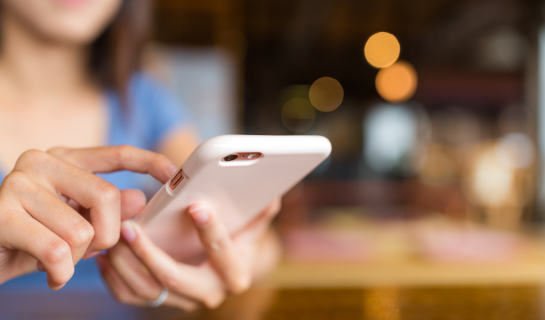
Choosing a new phone, tablet or other device can feel daunting, especially if your sight has changed or you are new to using technology. There is no single “best” device for blind and partially sighted people. The right choice depends on what you want to use it for, where you will use it, and what feels comfortable for you.
Understanding the basics
When people talk about “technology”, they can mean lots of different things. The most common everyday devices include mobile phones, smartphones, tablets, and sometimes laptops or desktop computers.
Some people prefer classic mobile phones that focus on calling and texting only. These phones do not need an internet connection and are often chosen for their simplicity. They usually have large, tactile buttons and clear displays, and many include speed dial buttons, making it easy to call trusted contacts without navigating menus. For people who mainly want a phone for staying in touch, this type of device can be a good option.
Smartphones offer more features, such as apps, email, internet access, navigation and tools that can help with reading or identifying things. Smartphones are usually carried with you and used for a wide range of everyday tasks. Tablets work in a similar way but have a larger screen, which some people find easier for reading, browsing or watching content at home. Laptops and desktop computers are less portable but can be useful for longer tasks such as writing, managing emails or paperwork.
There are also smartphones designed specifically with blind and partially sighted people in mind. These may use large, high contrast menus, speech output, or a combination of both. Some people find these devices easier to get started with, especially if they prefer a simpler layout or want speech support built in from the start.
Some people also use other types of technology, such as smart speakers (like Alexa), smart watches, or smart glasses. These tend to support specific tasks, for example setting reminders, checking the time, getting spoken information or using voice control. They are usually used alongside a phone or tablet rather than instead of one.
Devices also run on different operating systems, which affects how they work and how you navigate them. The most common are Apple’s iOS (used on iPhones and iPads) and Android, which is used by many other phone and tablet brands. Both include built-in accessibility features, but they work in slightly different ways.
You do not need to understand all of this before choosing a device. This page is simply a starting point to help you think about what might suit you and what questions to ask. Many people start with just one device and build from there over time.
Start with what you want to use it for
Before thinking about brands or models, it can help to think about what you would like your device to help you do in everyday life. For some people this might be staying in touch with friends and family, while for others it could be reading emails, managing appointments, checking public transport, shopping online, or using apps that provide visual assistance.
You do not need a device that does everything. Many people find it more helpful to focus on a small number of tasks that matter most to them, rather than trying to learn lots of features at once.
Where will you use it most often?
Thinking about where you will use your device can help narrow down what will work best for you. Some people mainly use their device at home, while others rely on it when they are out and about, travelling, or using public transport. Lighting conditions, noise, and how confident you feel using technology in public can all make a difference.
There is no right or wrong choice here. What matters is choosing something that fits naturally into your daily routine.
Screen size and comfort
Screen size can play an important role in comfort and confidence. Some people find a larger screen easier for reading and viewing content, while others prefer a smaller device that feels lighter and easier to hold.
It is also worth thinking about how the device feels in your hands, how easy the touchscreen is to use, and whether text size, contrast and display settings can be adjusted in a way that works for you. What feels comfortable and manageable is more important than choosing the newest or most popular option.
Thinking about your budget
Technology can be expensive, but a higher price does not always mean a better choice. Many people find that an older or refurbished device meets their needs just as well as a newer model.
It can help to think realistically about what you can afford, including any ongoing costs such as mobile data or subscriptions. Our advisors can help you explore options that balance cost, usefulness and confidence.
Using more than one device
Many people use more than one device, such as a phone and a tablet. If you do, it can be helpful to keep to the same operating system across devices. This means you only have to learn one set of gestures and controls, and menus and layouts will feel familiar.
Skills you learn on one device can often be used on another, which can make technology feel less overwhelming over time.
Android or Apple?
People often ask whether Android or Apple devices are better. In reality, both can work well for blind and partially sighted people, and the best choice is usually the one that feels most familiar and comfortable.
You might find it helpful to ask yourself:
- Am I already confident using a particular type of device?
- What do friends, family or people around me use?
- What fits my budget?
- What feels easiest for me to learn and use day to day?
Getting support
You do not have to make these decisions on your own. Our Digital Skills Advisors can talk through your needs, show you options, and help you take things step by step.
If you would like to talk about choosing a device, or if you have already chosen something and want help getting started, please contact us to find out what support is available.